
Instructions for the Xiaomi ADB Tool
If you want to use the ADB tools at MIUI just follow these steps:
1. Enable developer options:
Go to Settings > About phone and tap ‘MIUI version’ seven times to enable developer options.
2. Enable USB debugging:
Go to Settings > Additional settings > Developer options and enable USB debugging.
3. Connect the phone to your PC and launch the application. Your phone will ask for authorisation right away, allow it.
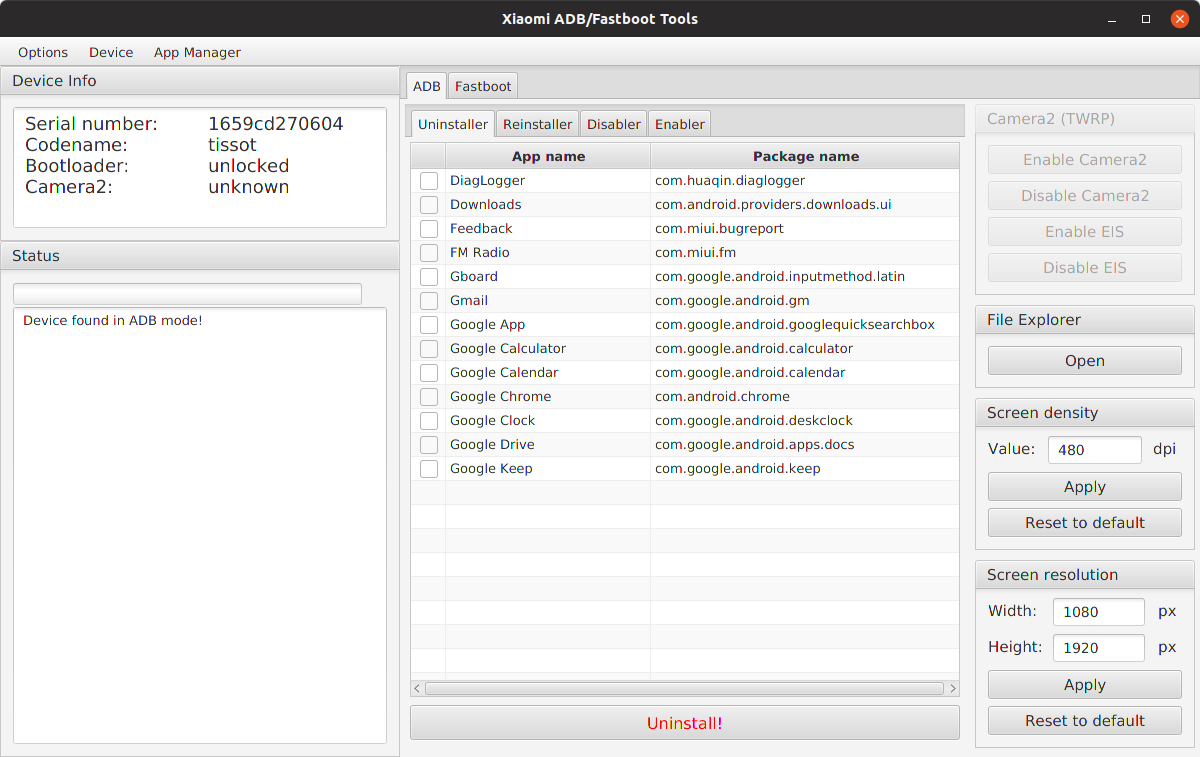
4. Check the status of the connection by clicking on Options > Load device (adb). If all is well, your phone’s information appears in the app and you can use all the ADB features.
#android
If you want to use the ADB tools at MIUI just follow these steps:
1. Enable developer options:
Go to Settings > About phone and tap ‘MIUI version’ seven times to enable developer options.
2. Enable USB debugging:
Go to Settings > Additional settings > Developer options and enable USB debugging.
3. Connect the phone to your PC and launch the application. Your phone will ask for authorisation right away, allow it.
4. Check the status of the connection by clicking on Options > Load device (adb). If all is well, your phone’s information appears in the app and you can use all the ADB features.
#android
👍46❤8